10 Powerful PECOS Login Tips to Streamline Provider Enrollment and Avoid Costly Medicare Mistakes
Healthcare providers participating in Medicare must maintain accurate enrollment information to receive reimbursement and remain compliant with federal requirements. One of the most important tools supporting this process is PECOS login, which provides authorized users with access to the Provider Enrollment, Chain, and Ownership System (PECOS). Understanding how PECOS login works can help providers manage enrollment records, submit updates, track applications, and reduce administrative delays.
Whether you operate an independent physician practice, group practice, outpatient clinic, laboratory, home health agency, or other healthcare organization, using PECOS login correctly is essential for maintaining Medicare enrollment and ensuring smooth revenue cycle operations. Errors during enrollment or delays in updating provider information can interrupt reimbursement and create unnecessary compliance challenges.
This comprehensive guide explains everything healthcare providers need to know about PECOS login, including account access, enrollment functions, security recommendations, troubleshooting tips, common mistakes, and how professional medical billing support can simplify Medicare administration.
What Is PECOS Login?
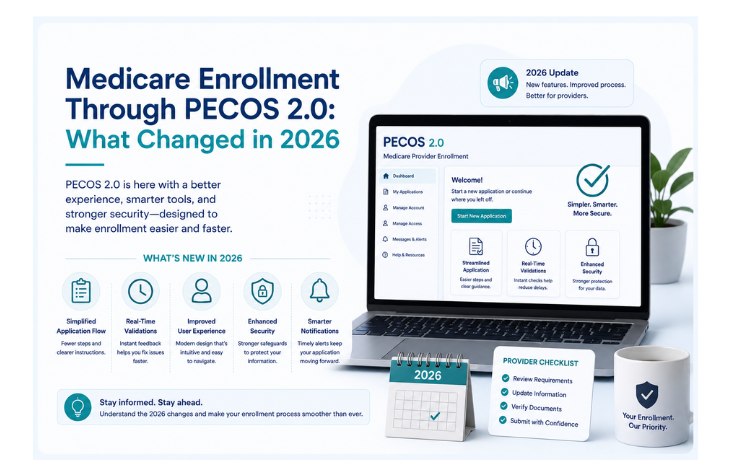
PECOS login provides secure access to the Centers for Medicare & Medicaid Services (CMS) Provider Enrollment, Chain, and Ownership System (PECOS). This online system enables eligible healthcare providers and organizations to manage Medicare enrollment electronically.
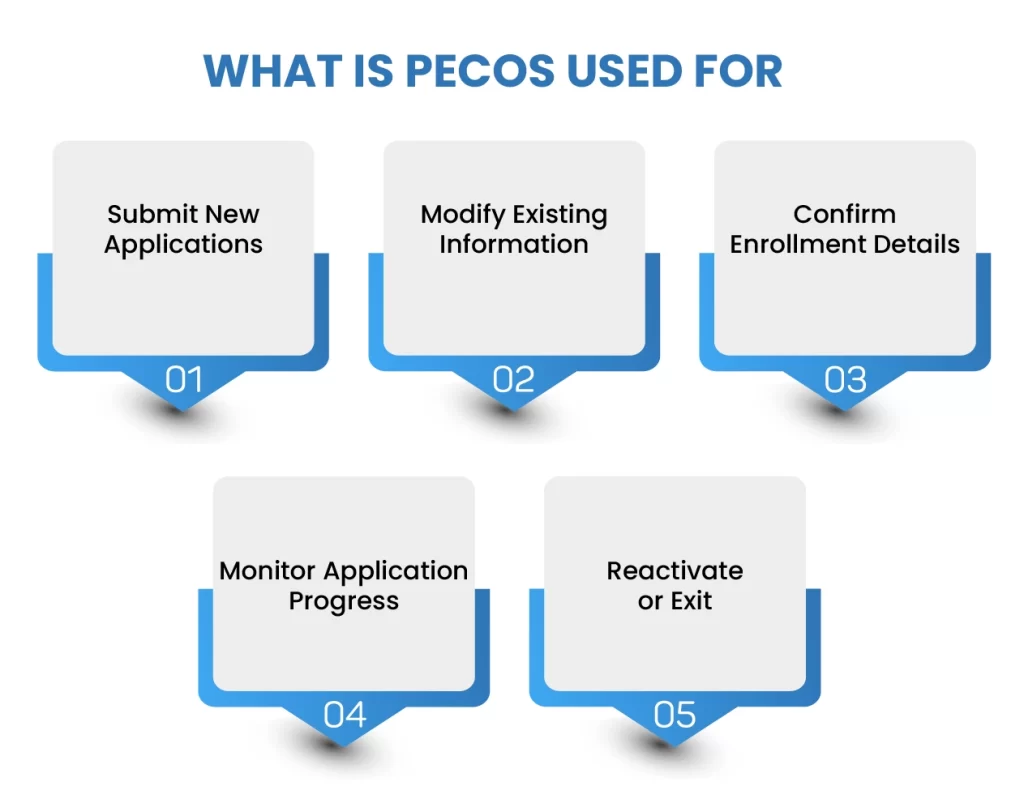
Through PECOS login, authorized users can perform tasks such as:
- Submit new Medicare enrollment applications
- Update provider information
- Revalidate enrollment
- Track application status
- Manage ownership information
- Maintain practice locations
- Review enrollment records
- Respond to enrollment requests
Electronic enrollment through PECOS improves efficiency while reducing paperwork compared to traditional paper-based submissions.
Why PECOS Login Is Important
Using PECOS login effectively helps healthcare organizations maintain accurate Medicare enrollment records and avoid interruptions in billing.
Key benefits include:
- Faster enrollment processing
- Improved application tracking
- Reduced administrative burden
- Easier record updates
- Enhanced data accuracy
- Better compliance with CMS requirements
- Simplified provider maintenance
Maintaining current enrollment information supports uninterrupted Medicare reimbursement and regulatory compliance.
Who Uses PECOS Login?
Several healthcare professionals and organizations rely on PECOS login, including:
- Physicians
- Nurse practitioners
- Physician assistants
- Group practices
- Hospitals
- Home health agencies
- Laboratories
- Durable medical equipment suppliers
- Billing administrators
- Credentialing specialists
Authorized representatives may also access PECOS based on delegated permissions and applicable CMS requirements.
Common PECOS Login Issues
Users occasionally experience access or enrollment challenges. Common issues include:
- Forgotten login credentials
- Multi-factor authentication problems
- Browser compatibility issues
- Expired user accounts
- Incomplete enrollment information
- Delayed application processing
- Incorrect provider data
- Missing documentation
Following CMS instructions carefully and maintaining updated account information can reduce these problems.
Security Best Practices
Protecting provider enrollment information is essential. Organizations using PECOS login should implement strong security measures, including:
- Multi-factor authentication
- Strong password policies
- Restricted user access
- Regular account reviews
- Secure network connections
- Employee cybersecurity training
- Timely removal of inactive users
- Monitoring for unauthorized access
These practices help safeguard sensitive provider information and support regulatory compliance.
Common Enrollment Mistakes to Avoid
Healthcare organizations can reduce enrollment delays by avoiding these frequent errors:
- Submitting incomplete applications
- Failing to update provider information
- Missing revalidation deadlines
- Uploading incorrect documentation
- Not monitoring application status
- Using outdated contact information
- Ignoring CMS notifications
Careful review before submission improves processing efficiency and reduces administrative burdens.
How Icon Billing LLC Can Help
Managing Medicare enrollment can be time-consuming and complex. At Icon Billing LLC, we support healthcare providers with credentialing assistance, medical billing, revenue cycle management, and compliance-focused administrative services.
Our experienced team helps practices improve operational efficiency by supporting provider enrollment workflows, reducing claim delays, strengthening documentation processes, and optimizing reimbursement through accurate billing practices.
Frequently Asked Questions
What is PECOS login?
PECOS login provides secure access to CMS’s online Provider Enrollment, Chain, and Ownership System used to manage Medicare enrollment.
Who can use PECOS login?
Eligible healthcare providers, organizations, and authorized representatives involved in Medicare enrollment may use the system.
Why is PECOS important?
PECOS helps providers enroll in Medicare, update information, revalidate enrollment, and monitor application status electronically.
How can providers avoid enrollment delays?
Maintaining accurate information, responding promptly to CMS requests, meeting revalidation deadlines, and reviewing applications carefully can help reduce delays.
Does PECOS affect Medicare billing?
Yes. Accurate Medicare enrollment is essential for proper claims processing and reimbursement.
How can Icon Billing LLC assist?
Icon Billing LLC supports healthcare providers through medical billing, credentialing assistance, revenue cycle management, and administrative services that improve operational efficiency.
Conclusion
Understanding PECOS login is essential for healthcare providers who participate in Medicare. Proper enrollment management, timely updates, secure account practices, and careful documentation help organizations maintain compliance while supporting uninterrupted reimbursement.
Partnering with an experienced medical billing company like Icon Billing LLC can simplify provider enrollment, improve revenue cycle performance, and reduce administrative challenges so healthcare organizations can focus on delivering exceptional patient care.